Free Toolkit (PDF + Excel)
Gantt + Critical Path Quickstart Kit
Build a clean Gantt in Excel, visualize it automatically, and confirm your critical path in plain English—so timelines stay realistic and execution stays tight.
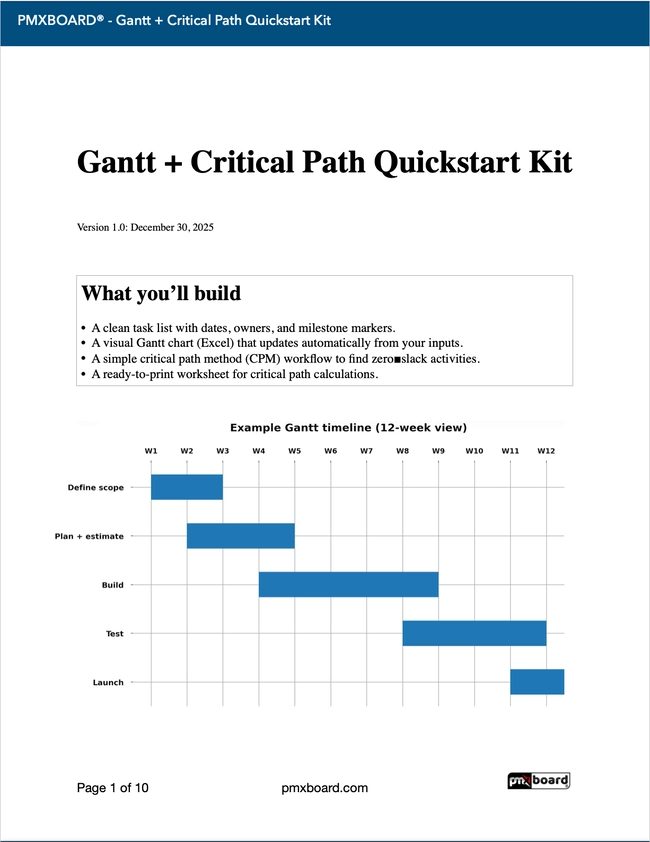
What you’ll get
- Excel task table + auto-rendered Gantt sheet
- PDF setup checklist + best practices
- Critical path explanation + simple example network
- Critical path worksheet (blank) + worked example
Best for
- Project managers & team leads
- Small–mid projects (2–20 tasks)
- Weekly reviews & re-forecasting
- Dependencies + “what can slip?” clarity
Tip: Download the Excel file and PDF checklist below — no signup needed.
Free Download
Gantt + Critical Path Quickstart Kit
No email required — download instantly.
Download Free PDF
Download Excel
Want more free visual-management tools and PMXBOARD updates? Join our email list.
Recommended 3-step flow (10–15 minutes)
1) Build the task list
Tasks + dates + owners (and dependencies if you have them).
2) Render the Gantt
See the timeline instantly in the visual Gantt sheet.
3) Confirm critical path
Find “zero-slack” activities and protect them.
Need help? Email us at
[email protected].