
Blocker Log Template: How to Capture and Escalate Blockers Fast
Most teams don’t fail because they lack talent—they fail because blockers stay invisible, unowned, or unresolved. A simple blocker log fixes this by forcing clarity: what’s blocked, who owns it, what happens next, and when it must be resolved.
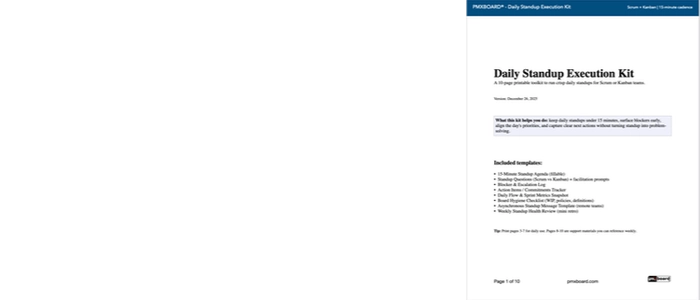
Want the printable blocker log + standup agenda? Download the free PDF here: Daily Standup Execution Kit (Free PDF)
Why blockers don’t get resolved (the real reasons)
Blockers usually persist for the same predictable reasons:
- No written record: the blocker is mentioned, then forgotten.
- No owner: everyone is aware, but no one is accountable.
- No next step: “we’ll look into it” replaces a real action.
- No escalation rule: the team waits too long before asking for help.
This is why standups alone don’t solve the problem. The solution is a lightweight system: capture → assign → follow up → escalate if needed.
The blocker log template (copy/paste fields)
You can use this format in a notebook, spreadsheet, Slack/Teams message, or a physical board. The key is consistency.
- Blocker (1 sentence): what is stopping progress?
- Work item impacted: which task/story/card is blocked?
- Impact: low / medium / high
- Owner: one person accountable
- Next step: the next action to move it forward
- Follow-up time: when will you check again?
- Escalation trigger: when does it move up?
- Status: open / in progress / resolved
Printable version included here: Daily Standup Execution Kit (Free PDF)
How to use the blocker log during standup (without derailing the meeting)
A blocker log works best when you treat the standup as a triage meeting—not a workshop.
Step 1: Capture the blocker (10 seconds)
Write a one-sentence description. If it takes more than a sentence, it’s too vague.
Step 2: Assign an owner (5 seconds)
The owner is not necessarily the person who will do the work. The owner is the person accountable for driving it to resolution.
Step 3: Define the next step (15 seconds)
Examples:
- “Schedule 10-minute huddle after standup with X”
- “Request access from IT by 2pm”
- “Clarify requirement with Product today”
Step 4: Schedule follow-up (10 seconds)
If there’s no follow-up time, the blocker will likely persist.
A simple escalation workflow (when to escalate and how)
Escalation is not drama—it’s flow protection. The point is to reduce delay.
When to escalate (use any one rule)
- Time-based: blocked for more than 24 hours
- Risk-based: it threatens a deadline or customer commitment
- Dependency-based: another team or leader decision is required
- Quality-based: it introduces quality, safety, or compliance risk
The escalation ladder (keep it lightweight)
- Level 1: peer assist (5–10 minutes) right after standup
- Level 2: owner sync (15 minutes) with required stakeholders
- Level 3: team lead / Scrum Master / manager decision or support
Escalation message template (copy/paste)
- Blocked item: [link or card name]
- What’s blocked: [one sentence]
- What we tried: [1–2 bullets]
- What we need: [decision/access/resource]
- By when: [deadline]
Common blocker patterns (and what they usually mean)
- Waiting on approvals: unclear decision rights or too many handoffs
- Work “almost done” but stuck: hidden dependencies or quality issues late in the flow
- Recurring blockers: a system problem—fix with standard work
- Too many blockers at once: WIP is too high or priorities are unstable
If WIP is the root cause, this related article is a strong internal link:
The Ultimate Guide to WIP Limits: Why 3 Is the Magic Number
How this connects to your daily standup agenda
A blocker log is most effective when paired with a consistent standup agenda. If you want a full 15-minute agenda format for Scrum + Kanban, see:
Daily Standups: How to Run Daily Meetings That Don’t Waste Time
Get the Daily Standup Execution Kit (Free PDF)
If you want the blocker log + escalation workflow + daily standup agenda in one printable toolkit, download it here: