
How to Reduce Lead Time in Knowledge Work
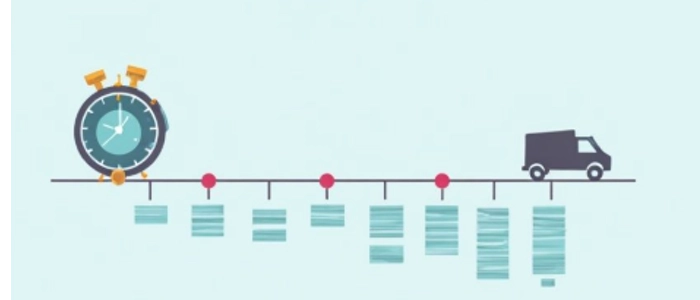
Lead time in knowledge work is the total time it takes to deliver value—from request to completion. If you want faster delivery without burning out your team, you must reduce waiting, handoff delays, and rework.
What “lead time” really means (in knowledge work)
In knowledge work (projects, IT, marketing, ops, product), lead time is rarely “work time.” It’s mostly waiting time—items sitting in queues because too much is started, priorities change, approvals take forever, or dependencies aren’t visible.
The good news: you don’t need more hours to reduce lead time. You need better flow.
Step 1: Define the start and end points (so you measure the same thing every time)
Before you improve anything, decide exactly when lead time starts and ends. Pick a definition you can repeat.
- Start: when a request is approved and ready to be worked (not when someone “mentions it”)
- End: when the request is delivered and accepted (not when someone says “almost done”)
Tip: If you can’t clearly define “ready,” that’s a major source of delay. Fixing that alone can reduce lead time.
Step 2: Visualize the workflow (make the queues obvious)
You can’t reduce lead time if you can’t see where work is waiting. The simplest fix is to visualize your workflow with clear stages (e.g., Ready → In Progress → Review → Done).
If you need examples of what this can look like, pull ideas from Visual Management Boards: Examples & Templates. Your goal is to create a single “source of truth” where anyone can see:
- What’s being worked right now
- What’s waiting (and why)
- What’s blocked
- What’s next
Step 3: Limit WIP (this is the fastest lead time lever)
Most lead time problems are WIP problems. When too many items are in progress, everything slows down. The team context-switches, reviews pile up, and work sits half-finished.
To reduce lead time, set a simple rule: finish work before starting more work. Start with a small WIP limit for the “In Progress” stage and adjust after a week or two.
Practical WIP rule you can use today
- Team of 3–5: limit “In Progress” to 3–5 total items
- Team of 6–10: limit “In Progress” to 6–10 total items
It doesn’t need to be perfect. The point is to create friction when the team tries to start too much.
Step 4: Shrink batch size (small work flows faster)
Big tasks create big queues. If your items take weeks to complete, your lead time will stay high—even if everyone is “busy.” Break work into smaller deliverables that can move across the workflow in days, not weeks.
Batch size reduction checklist
- Split work by deliverable, not by role (“design” vs “dev”)
- Define acceptance criteria before starting
- Avoid “mega tickets” that hide multiple outcomes
- Deliver in slices: draft → review → final
Step 5: Fix the approval and review bottleneck
In knowledge work, “Review” is often the real constraint. Items get stuck waiting for a stakeholder, manager, QA, or legal review. If your board shows a pileup in review, you don’t have a productivity problem—you have a flow problem.
Simple ways to speed up review
- Set review SLAs: “Reviews completed within 24–48 hours”
- Schedule review windows: e.g., twice daily, 30 minutes
- Define ‘review-ready’ criteria: fewer back-and-forth cycles
- Limit WIP in review too: stop starting new work if review is overloaded
Step 6: Make blockers visible and attack them daily
Blocked work kills lead time. The trick is making blockers unmissable and removing them fast.
- Mark blocked items clearly
- Write the blocker reason (dependency, missing info, approval, tools, access)
- Assign an owner to the unblock action
- Review blockers every day until cleared
Step 7: Use an Obeya-style alignment rhythm (especially for cross-team work)
Lead time explodes when work crosses teams. Priorities conflict, dependencies hide, and decisions drag.
An Obeya (a “big room” alignment approach) helps you reduce lead time by making goals, priorities, and constraints visible in one place. Start with What Is Obeya? (Room of Strategy Explained), then see how high-performing teams use the practice in Project Obeya Rooms: How High-Performing Teams Align.
Even if you’re remote, you can apply Obeya principles by creating a visual “alignment hub” that highlights:
- Top priorities and outcomes
- Critical dependencies
- Current blockers
- Decision needs (who decides and by when)
Step 8: Standardize the repeatable parts (reduce rework and variation)
In knowledge work, variation is a hidden lead time tax. If every item is done differently, reviews take longer, quality varies, and handoffs break.
Reduce lead time by creating standard work for the repeatable parts of your process—templates, checklists, definitions, and “ready/done” policies. Use Standard Work: How to Create Reliable Processes to document the best-known method and make it easy to follow.
Great standard work targets
- Intake checklist (“what must be true before we start?”)
- Definition of Done (what counts as complete?)
- Handoff checklist (what must be included for the next stage?)
- Review checklist (what reviewers look for)
Step 9: Apply 5S principles to reduce friction in digital work
In offices and knowledge teams, “searching” is one of the most common forms of waste. If people spend time hunting for files, documents, latest versions, or context, lead time increases silently.
Apply 5S thinking to digital spaces and team workflows using 5S in Offices: Practical Examples for Knowledge Teams and What Is 5S? Lean Workplace Organization Guide.
Quick “digital 5S” improvements that reduce lead time
- One place for “latest” documents (no duplicates)
- Standard naming conventions for files and tasks
- Clear folder/workspace ownership
- Templates for recurring deliverables
- Archive old versions so search results are clean
What to track weekly (simple lead time improvement metrics)
Don’t overcomplicate measurement. Track just enough to see if flow is improving.
- Average lead time: from Ready → Done
- Lead time range: fastest vs slowest item (variation is the enemy)
- Work item aging: how long current items have been open
- Blocked count: how many items are blocked right now
If your average lead time drops but your “oldest item age” stays high, you likely have a dependency or review bottleneck still unresolved.
A simple 10-minute routine to keep lead time dropping
- Daily: review blocked items and clear the biggest blocker first
- Twice weekly: check WIP and stop starting new work if review is overloaded
- Weekly: review lead time trend and pick one constraint to fix next